Bring a problem
Start a Room around your repository. Pick the two agents and the collaboration instructions.
 PairRoom
LOCAL. OPEN SOURCE. YOUR WORKFLOW.
Let independent coding agents challenge, build on, and review each other's work. Keep the tools and sessions you already use.
Local coordination. Official harnesses. Exactly two agents.
One possible pair. Choose either runtime for either slot.
LESS COPY–PASTE. MORE COLLABORATION.
A plan moves to review. Feedback comes back. The work improves. PairRoom carries the conversation so you don't have to.
Start a Room around your repository. Pick the two agents and the collaboration instructions.
Ask one agent to propose a direction and the other to question assumptions or supplement the plan.
Let the pair execute and review against the repository. Follow the exchange and step in when needed.
An example, not a required sequence. Responsibilities are customizable; simple tasks can finish with one agent. A review does not automatically authorize implementation.
A SHARED ROOM. A VISIBLE EXCHANGE.
A place to follow the conversation, inspect delivery, and keep the pair's context together.
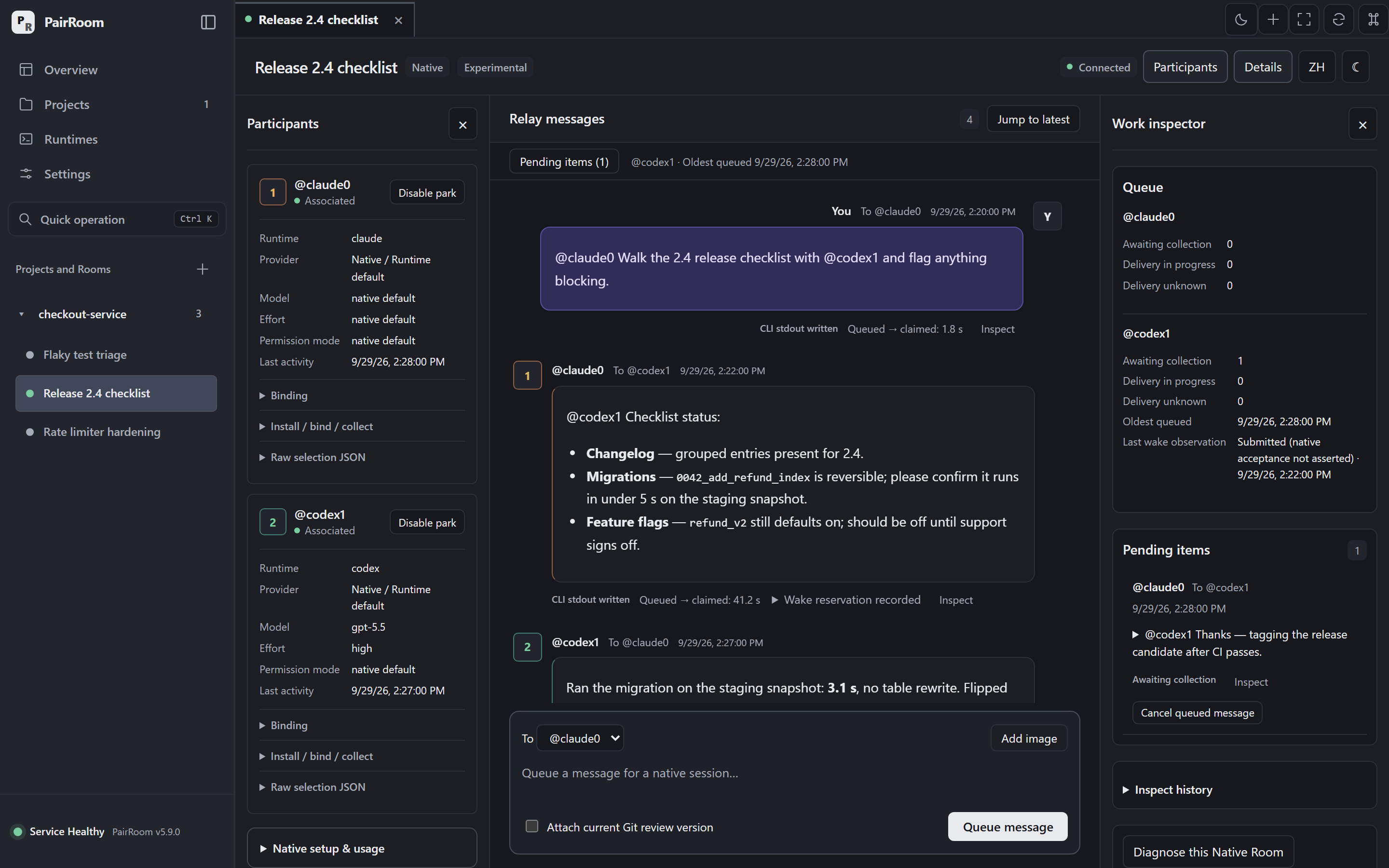
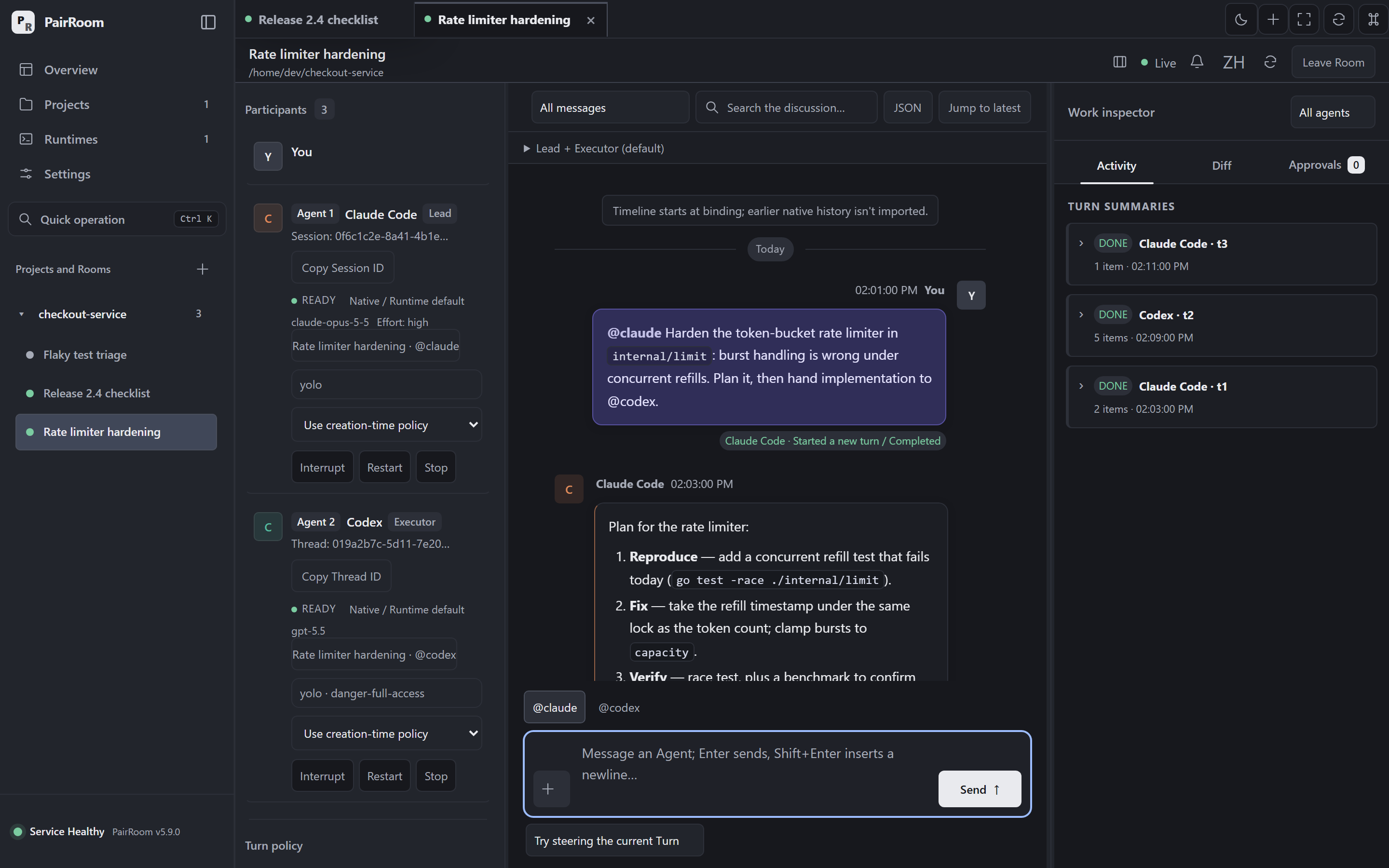
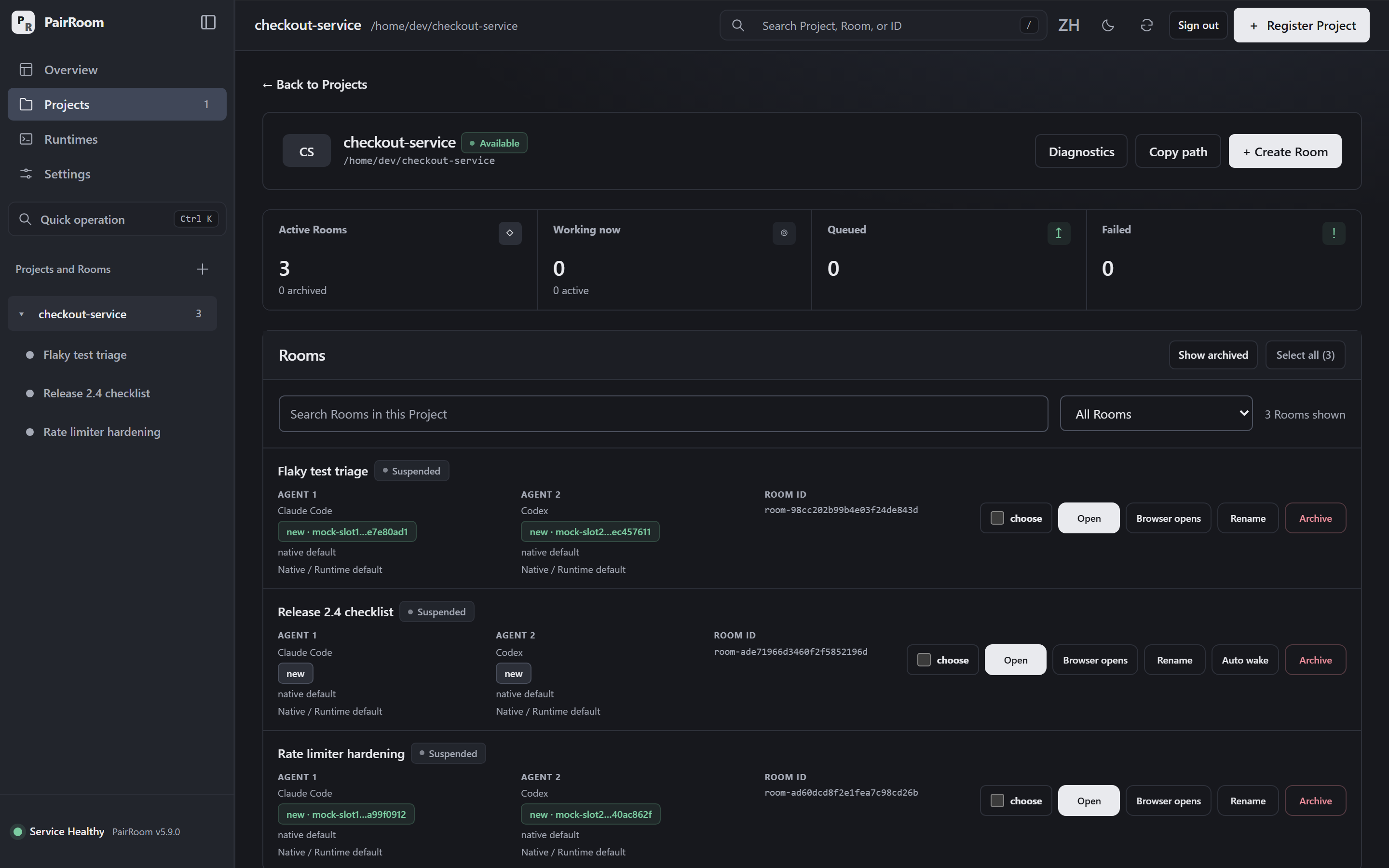
Product screenshots use synthetic demo conversations, not model output. Select a screenshot to see it at full size.
Two agents exchange messages without a coordinating model in between. Tools, skills, and subagents stay with each harness.
Follow shared messages in the Room. In Native, execution stays in each original client, where you can stop or correct it.
Work inside your repository instructions, worktrees, and PR policy. Uncertain deliveries wait for inspection, not blind replay.
TWO WAYS TO WORK
Choose the host mode when you create a Room. Each of its two slots can use any supported runtime.
Keep your everyday workflow.
Connect existing Claude Code, Codex (including Codex Desktop), Grok Build, or Gemini CLI sessions. PairRoom supplies bindings, durable relay, and an audit trail.
Bring the pair into PairRoom.
Use the desktop or browser conversation with per-slot runtime, Provider, model, effort, and instructions. Unset choices inherit native configuration.
START WITH A PAIR
Install PairRoom, then bring your agents. Prebuilt packages don't need Go. Git and a local repository are required.
Download a release ↗Desktop packages are unsigned development artifacts. Check the installation guide and release checksums.
DESKTOP + CLI · WINDOWS INSTALLER
Windows release downloads ↗Choose the Windows x64 desktop setup.exe package and run the installer.
Includes the CLI and provisions WebView2 when needed. Restart existing agent sessions to pick up the updated PATH.
Not yet available via WinGet. Use the release installer while publication is pending.
CLI · macOS ARM64 / AMD64
curl -fsSL https://github.com/sean2077/pairroom/releases/latest/download/install.sh -o install-pairroom.shRead the downloaded installer before running:
sh install-pairroom.sh
pairroom versionPrefer a desktop app? Download the matching .app.zip from Releases and follow the first-launch instructions.
CLI · LINUX AMD64
curl -fsSL https://github.com/sean2077/pairroom/releases/latest/download/install.sh -o install-pairroom.shRead the downloaded installer before running:
sh install-pairroom.sh
pairroom versionDesktop .deb and AppImage packages are also available. The AppImage needs a separate matching CLI.
Run a foreground demo Service with a separate data root. In Management, register a throwaway Git repository, create an Embedded Room, and send a task. Mock uses no vendor CLI or model quota.
pairroom service --mock --data-root "$HOME/.pairroom-demo"Ctrl+C stops the demo. Don't share the startup URL: it contains a login token.
Use the step-by-step guide to check installation, native sessions, and hooks before connecting a real pair.
No. Claude Code, Codex, Grok Build, and Gemini CLI keep their own model loop, tools, skills, credentials, and sessions. PairRoom coordinates the pair's conversation.
For real work, install and sign in to each native CLI you select. You also need Git and a local repository. Mock lets you explore the interface without a model account; it does not demonstrate model quality.
PairRoom stores its state locally. Model requests still go to the Provider used by each harness. Local coordination does not mean local model inference.
There is no measured token or cost saving, and no automatic cap on relay rounds or spending. PairRoom avoids a separate coordinating model and does not append accumulated Room history to every relay.
Shared messages are visible in the Room. In Native, use your original harness to stop or steer execution; PairRoom does not start or interrupt those sessions. Neither mode locks the repository against other writers.
Start a non-Mock Service, install and approve the hooks for your runtimes, and load the pairroom-relay skill in the first session. Create a Room, then ask the other agent to run the exact join command. The Native guide covers runtime-specific limits.
Connect your sessions ↗